Understanding Results
Learn how to interpret ImageToLocation results, including map markers, candidate rankings, confidence scores, written reasoning, and error radius estimates.
An analysis result combines map candidates with a written explanation of the visual evidence. Use both together: the map shows where the AI thinks the photo may be from, and the reasoning explains why.
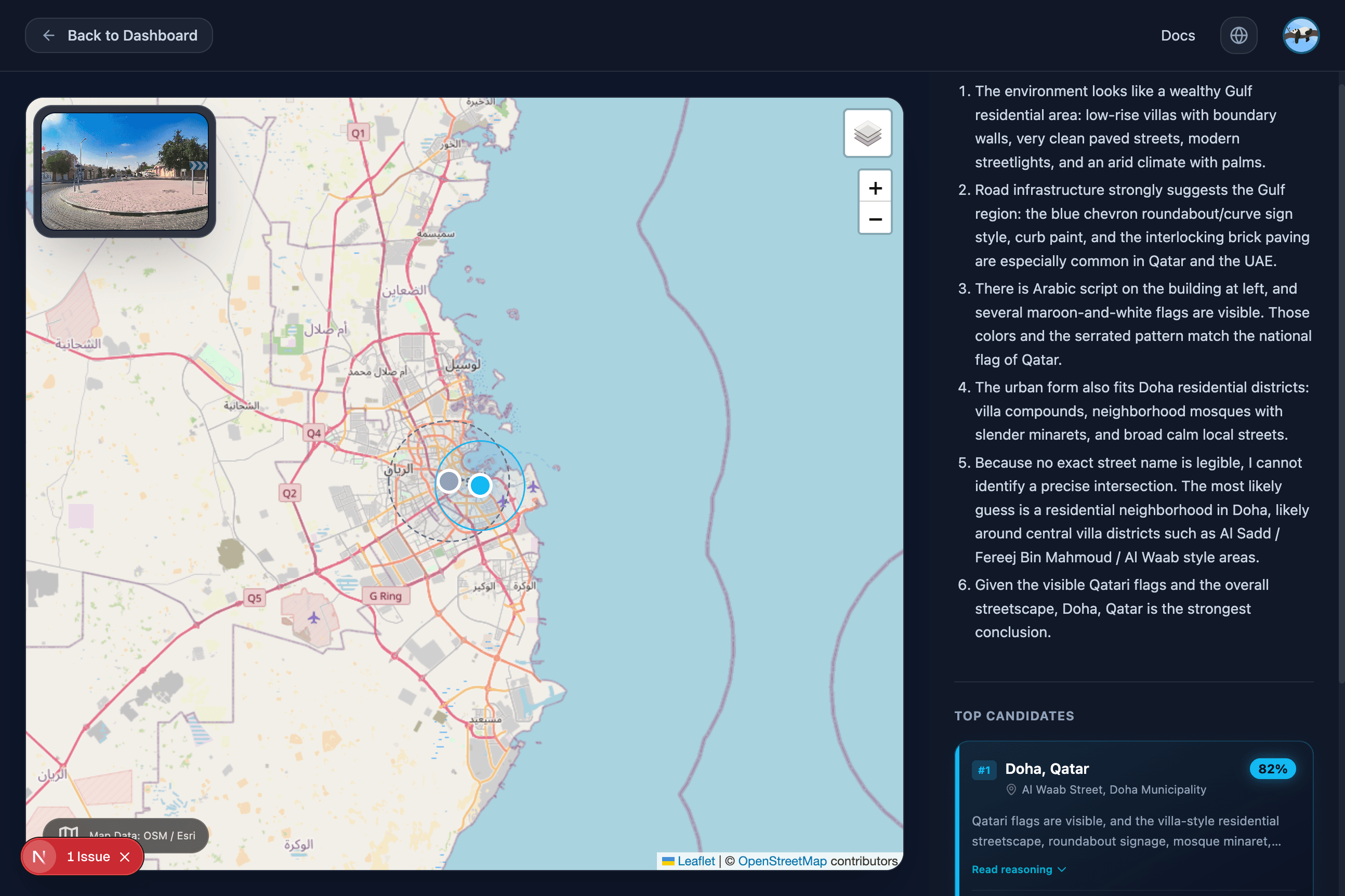
Map View
The map displays the predicted area with candidate markers. The strongest candidate is highlighted, and nearby alternatives may appear when the model finds multiple plausible places.
Available map controls include:
- A layer control for switching map styles
- Zoom controls for closer inspection
- A highlighted radius around the selected candidate
- The uploaded image thumbnail for visual context
Candidate Cards
The right-side panel lists top candidates. Each card can show:
- Candidate rank
- Place name, such as city and country
- Confidence as a percentage
- Short reason for the candidate
- Supporting location details when available
Confidence
Confidence is the model's score for a candidate relative to the alternatives it produced. A higher confidence means the AI found stronger matching evidence, but it is still an estimate.
Use confidence as a ranking signal, not as proof.
Error Radius
The map may show a radius around the selected candidate. Treat this as a visual estimate of how broad the possible area may be. A smaller area is more geographically specific; a larger area means the image evidence points to a region rather than an exact place.
Written Reasoning
The reasoning section explains the clues used during analysis. It may mention architecture, signs, road infrastructure, terrain, vegetation, climate, flags, or other visual details.
Good review habits:
- Check whether the reasoning matches what you can see in the photo.
- Compare the top candidate with lower-ranked candidates.
- Switch map layers if the area layout matters.
- Verify externally before making important decisions.
When Results Are Weak
Results may be broad or uncertain when a photo has few location clues. Indoor scenes, close-up objects, blurred images, screenshots, and cropped images can all reduce accuracy.